
Frustrated by AI? Give It Five Minutes.
In August I got about three seconds of usable footage from an AI platform. In October I rendered all nine shots in two days. Same script, brand-new engine.

There's an old joke in the Midwest. If you don't like the weather, wait five minutes. A sunny morning can turn to sleet by supper, and it's considered "normal."
AI works the same way. If you hit a wall, walk away for five minutes and you'll come back to discover somebody's launched something that solves your problem.
I've brought the receipts to prove it.
Where we left off
In August I wrote Four Windshield Wipers on a Minivan. I was making a :60 spot for SimpleSignal, an app that turns your phone into a brightly colored beacon so somebody can find you in a crowd. The scene was a rainy school pickup line: a mom, a kid in a pink raincoat, forty identical minivans. Mom fires up SimpleSignal, gets her daughter's attention, and they take off while the other parents search fruitlessly for theirs. No dialogue, just a literal use-case example.
I talked to the engine the way I'd talk to a cinematographer. It gave me a minivan with four windshield wipers, a mom looking the wrong way, and a 180-degree line crossed so often it made me feel like I was at a square dance.
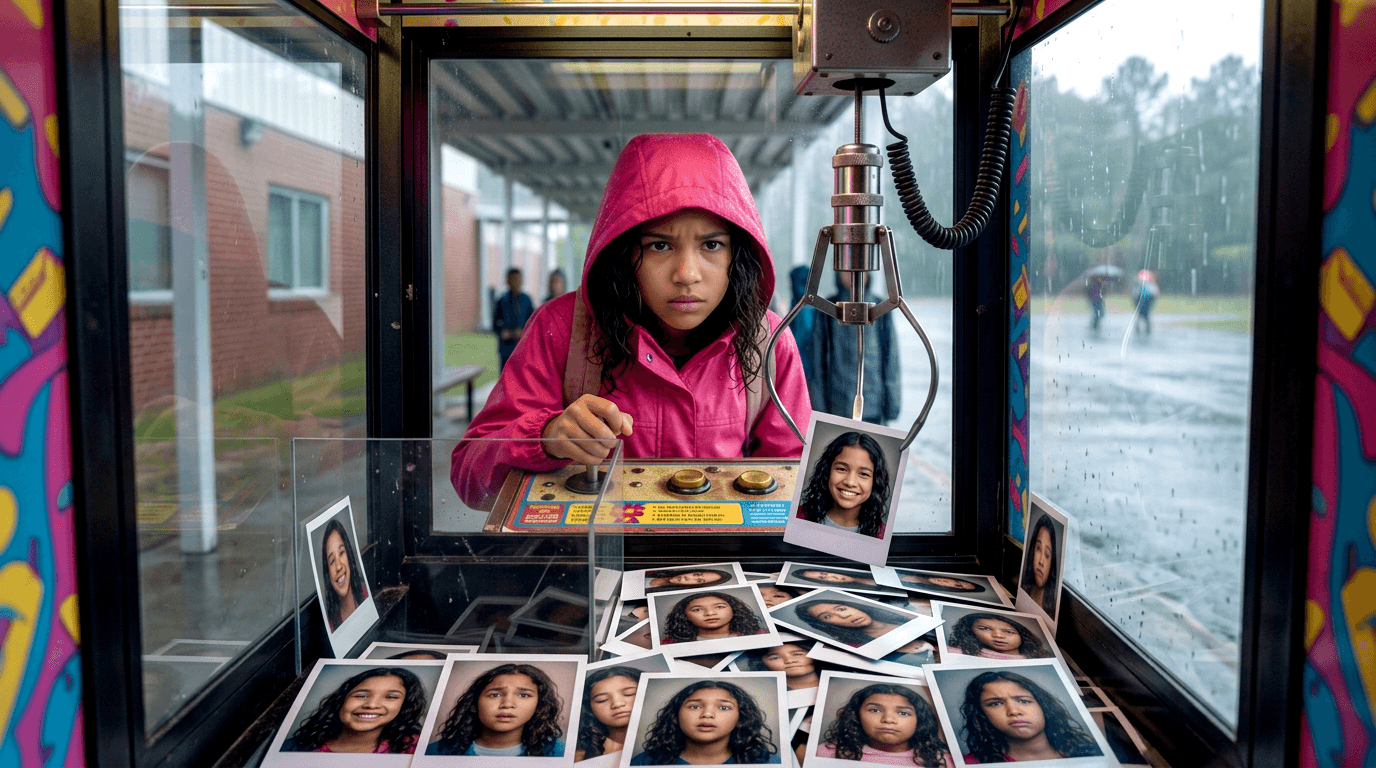
I spent a small chunk of money and a good deal of time and came away with (generously) a couple of seconds of usable footage. When the credits ran dry, I was in time-out for a month unless I wanted to cough up more cash. I've seen how this claw machine works; I gave up.
Round two
In October I picked the experiment back up after hearing about a different platform, OkayCreate.
What I wanted in August was never "type a sentence, get a commercial." I wanted to work the way I'd normally work:
- Write a script the way I'd normally write one, in Final Draft or a text editor.
- Have the engine parse it and break it out into scenes.
- Upload the storyboard I'd already built and have it understand composition and action: identify the actors, what they're doing, and where they belong in frame.
- Follow the script for action and dialogue.
That's what OkayCreate is built around. It's still rough and very much in development. It's also much closer to my wish list than anything I used in August.
I created an account, plugged in my script, manually broke it out into scenes, and uploaded the hero shots of my characters from the August experiment. Then I used my free trial to auto-blast a rendered export that looked remarkably close to what I'd envisioned. With some exceptions. Before long I was running into the same old problems with composition and action.
The free sample render from OkayCreate. Looks like autonomous vehicles are a thing now.
Remember when I said "give it five minutes"?
The developer posted that a "big upgrade" was coming the following week. I waited, and was glad I did.
The upgrade was an incredibly significant feature: an AI-powered assistant director. The exact thing I'd been trying to train my own AI agent to be. Here it was as a simple-but-smart text field, ready to discuss my production. It became clear that whoever trained this AI had a deep understanding of the filmmaking process. It "read" my script, it broke out my shots, it understood my storyboard, built character style sheets and shot lists. Most importantly, I stopped struggling with how to translate traditional on-set vocabulary into something some dumb model could understand. It. Just. Did. That.
So I cracked my knuckles and started cranking.
Two sessions over two days. All nine shots for the school pickup spot rendered and accepted. Start to finish, it went:
- Script
- Storyboard
- Character sheets
- A rendered still for every shot
- A rendered motion clip for every shot
- Retakes on whatever needed tweaking
- Final selects
August: three seconds and a surrender. October: nine shots in two days.
That's a pretty damn good improvement.
Fixed by supper
Here's another callback to the title of this post, in case you thought this was a one-off.
Partway through, the assistant director feature locked up and wouldn't let me go any further. There was no support link on the site, so I tracked the developer down on X and sent him a message. He answered within minutes and said he'd have a fix that evening, or the next morning at the latest.
That evening, the fix was in.
He told me he's pushing updates several times a day. In most of the software I've worked around over thirty years, you could wait months for a feature to work properly. Sometimes a year. Here, I was stuck, and by that night I wasn't.
Not five minutes, but close enough to be mistaken for a Midwestern weather front.

An AD who speaks "set"
The assistant director is this platform's killer app. It's what sets it apart from the others claiming to do the same thing.
That communication gap is exactly where round one fell apart. In August, "camera left" and "she's screen right of the van" came back mirrored. The engine read the words and never figured out the room they describe. This time both sides are speaking the same language. It doesn't catch everything. But it changes how fast the rest goes.
Showing the work
Here are the assets, not just the results.
The hardest thing for these tools is continuity. Keep the same person looking like the same person from shot to shot. Keep a rainy day rainy, so it isn't sunny in the next shot. In round one every frame was a nice photograph of a different school.
So I uploaded my hero characters and had the AD build character sheets: front view, side profile, full body. Those sheets go into every shot.
It isn't plug-and-play (yet... set your egg timer)
About 80% of the way through the project, I was fighting with the engine again, having the familiar arguments about eye lines, composition, crowd size and so on. I went through round after round trying to convince the AD what I meant by "a crowd of people."
My secret weapon ended up being trusty old Photoshop. I've been using Photoshop for well over 25 years now, and I'm pretty darn good at it. I could export a frame that was close to what I wanted, take it into Photoshop and really polish it up. If I needed an eye line to look a certain way, I could select the person's head, run it through the generative AI feature in Photoshop, and say, "Look that way." Sure enough, it would render it exactly as I wanted. If I wanted a bigger crowd, I'd select where it was empty and say, "Put a big crowd here," and like magic, there was a big crowd. This alone saved a lot of the shots that were about to be written off as undoable.
So anyone who thinks this is just "type in something and it magically spits out something that looks like the next Chris Nolan movie" is going to be sorely disappointed. It will behoove you greatly to have skills in Photoshop and After Effects. All the traditional image editing and effects tools come in very handy when you're working with something like this. When I ran out of words, I fixed it with pictures.
Spot Two: The Airport
Feeling pretty full of myself, I decided to do another one. The second spot was set in a busy airport, where the main character has to find her friends at the gate during the holiday travel crunch. I started it from scratch with what I'd learned on the first, and it went a lot smoother. The engine still had trouble with composition and eye lines.
So I drew a map. A top-down diagram of the whole location: where every character stands in every shot, where each camera sits and which way it points, all numbered to match the storyboard. That diagram became the source of truth. It cut way down on the false starts and the back-and-forth about which way somebody's facing, where their eye line goes, which direction they're headed, and where they are relative to their friends.
What really impressed me was that the engine understood the diagram well enough to know where I wanted the cameras. That's a lot different from looking at a photo and figuring out what color someone's jacket is, or changing their hairstyle. This was reading a floor plan and translating it into 3D space.
That's an old trick. A crew uses a diagram like this to hand off blocking without a speech. The difference from August is when the drawing happened. In round one I ended up drawing orange arrows on finished frames, after the credits were spent. This time the drawing came first.
Then I got cocky
I was having so much fun I did a third one, this time for Punchya. I wrote a script of about 30 to 45 seconds, made character sheets from my own prompts with Google's Nano Banana model inside Adobe Firefly, then had OkayCreate work on the expressions.
This time the plan was to let go of the wheel. Hand it everything and say: you figure it out. You know, like all those breathless promos in your social media feeds. "I made the next Star Wars movie in just one prompt!"
It took more handholding than I expected. Eventually I said, "Look, you seem to understand this. Just run with it. You've got my storyboard, my script, my character sheets. You understand the breakout and the camera blocking. Go render."
It did. What came back was pretty bad.
Nothing in it was unfixable, though. Photoshop came back into play, and this time I reached for it early instead of after umpteen rounds of "NO, your OTHER left!" That's the real lesson of this round: the tool still needs a seasoned hand on its shoulder. Even so, the result is head and shoulders above four wipers on a minivan.
The forecast
The school pickup spot turned out really well, and all that pre-production work paid off. The airport one is okay, but eagle-eyed viewers will spot some funny business with the coffee cups. Consider them Easter eggs.
Here's the part you've been waiting for: all three spots. I consider the two SimpleSignal spots finished. Punchya still needs polish.
"School Pickup" (SimpleSignal)
"Airport" (SimpleSignal)
"1776" (Punchya)
It's a good thing I don't read manuals for this stuff. I'd fall asleep by page three. I learn by breaking stuff, watching it fail, and working out how to keep it from falling apart. August was the failing part. October was the working-it-out part. And whatever's still broken in the Punchya footage, I'm betting a fix has shipped by the time you read this.
I'm basically sitting on a surfboard, ready to ride the next wave instead of fighting it. When I wipe out, I just climb back on and wait five minutes.
SimpleSignal is in the App Store: https://apps.apple.com/us/app/simplesignal/id6779517734
Want the build stories?
Product build stories and the technical decisions behind them live over at baconcheesefrosting.com.